D danyae15 May 2011
not up yet
A atheoxx15 May 2011
nah its not quite up yet. i would guess lunch time maybe bit before that, fingers crossed. if not by tonight for sure.
watching live comms of world at war by ronaldhinio1224 and im blown away at how fucking good WAW, and how fun it is and how good the guns play (minus mp40) and its a treyarch game and then i look at BO and its soo boring compared.
he was playing on PS3 btw and it was a live comm so it was brand new gameplay. i would buy the game and play it, but as he said and he checked, 7000 people are playing it atm. and 5000 of them are playing zombies. so every game would be red bar connection haha
F FAT COCK15 May 2011
yeah i remember trying it a few weeks before the network went down because i wanted to hit the level cap as i was only a few levels off and was only getting red bar games with only a few hundred people playing multiplayer. when i use to play it before mw2 dropped it was heaps fun
Ddanyae16 May 2011I aint holding my breath, following the trend of this whole thing it will be a few days yet.
G geebz16 May 2011
apparently melbourne was up for an hour or so this morning before it was switched back off.
FFAT COCK16 May 2011yeah to many people trying to change passwords so it was almost dying they switched it off for a bit
D Dregs16 May 2011
HI GEEBZ!!!!
FFAT COCK16 May 2011Ggeebz16 May 2011Oh HAI DREGZ.
Aatheoxx16 May 2011wats all this password reset talk. do i have to do anything to make it work? or does it just say hey were back, its been awhile so here u go heres a thing to reset ur password. or do i have to go to psn site and do it?
FFAT COCK16 May 2011you dont have to, they recommend it as thats what anon got when they broke in. im not changing it.
Ggeebz16 May 2011You have to change it. When you log in it will prompt you to change your password. The password can only be changed on the PS3 the originally created the account with. If you are using a different PS3 you need to change the password via playstation website.
Ggeebz16 May 2011How to change your password:
1. Select [Sign In] under PlayStation®Network on the XMB (XrossMediaBar) Menu.
2. Enter your sign-in ID (email address) and password, and then select [Sign In].
Enter the current sign-in ID (email address) and password for your PlayStation Network account, and ensure that you can receive messages at this email address.
3. Select [OK] from the screen that prompts you to change your password.
A screen for entering a new password is displayed.
4. Follow the on-screen instructions to change your password.
After you have changed your password, you will be able to sign in to PlayStation Network.
If the screen for entering a new password is not displayed after step 3, your PlayStation 3 system has never been activated on PlayStation Network using your account. In this case, an email message will be sent to your registered email address. Follow the instructions in the email message to access a website and change your password.
If you have forgotten your password
If you have forgotten your password, you will need to change it from the PlayStation Network website. Follow the instructions shown below.
1. Select [Sign In] under PlayStation®Network on the XMB Menu.
2. Select [Forgot your password?] on the sign-in screen.
3. Enter your sign-in ID (email address) and your date of birth, and then select [Continue].
Ensure that you can receive messages at this email address.
4. Check that your email address is correct, and then select [Confirm].
An email message will be sent to your registered email address. Follow the instructions in the email message to change your password. When you have changed your password, you will be able to sign in to PlayStation Network.
If the PlayStation Network account you are using is a sub account, it may be necessary to first sign in using the master account to change the password.
D DeathMoth16 May 2011
Sounds like a pain in the cunt. Get a 360
Ddanyae16 May 2011oMg im online
M mattyc16 May 2011
that's sick. if i could find my black ops disc i'd be cheering.
S SAM*SAM16 May 2011
i keep trying to get online so i log in and it tells me that an email has been sent and i should check my inbox, so i do and there isnt anything there, i have waited for 2 hours now and none of the emails have come through, i have tried doing it through the playstation website aswell but that hasnt worked either, fuck
T Tupac16 May 2011
Check your junk mail.
Ddanyae16 May 2011I just signed in and it prompted me to change my password so I did then I was on.
SSAM*SAM16 May 2011when i go to the australian playstation website it still says that the network is down in the top right corner, and wont let me sign in, and when i use the US website i can sign in but it doesnt seem to send me the email to change my password, anyone else having or had similar problem?
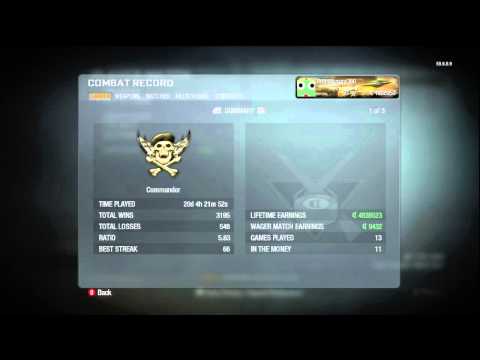
Aatheoxx16 May 2011i want my combat record to look like this soo bad hahaha.. ive considered making a shotgun only account aswell.
maybe today is the day?
I'm not getting any password reset emails either, help.
Ddanyae16 May 2011Aatheoxx16 May 2011MW2 looks wayy different on 720p through composite. will take some time to get used to. aswell as throwing stuns and nades with the bumpers.
MW2 is easy mode haha. second game of search since i started playing tnite. 13-3
R ReignSupreme.16 May 2011
Lethborg, emails can take a MAXIMUM of 24hrs to go through due to the high quantity.
Lost my alter/clan account, dev'd. stupid gt5sso@ssdc.co